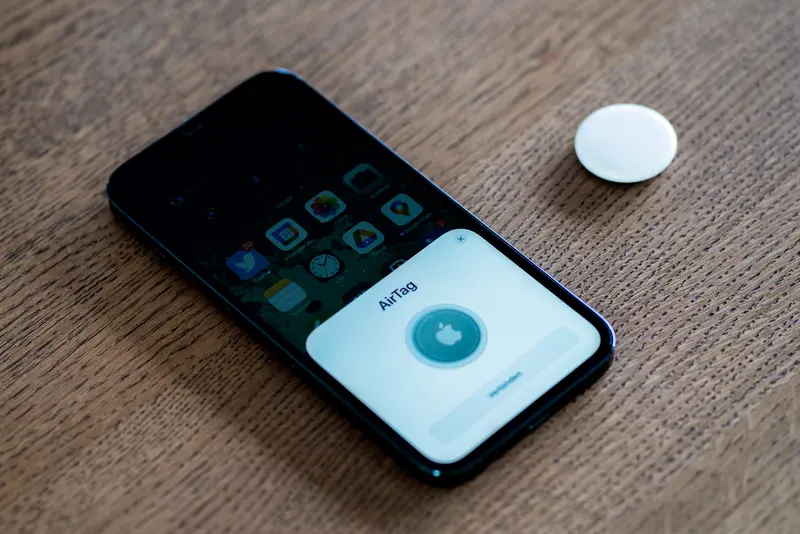
An AirTag, SmartTag or Tile is a small Bluetooth beacon with a battery that lasts months or years. It has no GPS and no mobile connection. Instead, it borrows other people’s phones: when a phone on the same network passes close by and picks up its signal, that phone securely reports where it is. That is why the network matters more than anything else when you choose a tracker.
Apple Find My
Apple describes Find My as a crowdsourced network of more than a billion Apple devices. Nearby iPhones, iPads and Macs detect an AirTag’s Bluetooth signal and send its location to iCloud, so you see it on a map in the Find My app. Apple says the process is anonymous and encrypted: only the owner can see where an AirTag is, location history isn’t stored on the AirTag, and not even Apple knows the location or which device helped find it.
Useful features:
- Precision Finding — on an iPhone with Ultra Wideband, Find My shows the distance and direction to a nearby AirTag. The second-generation AirTag’s improved range needs iPhone Air or iPhone 15 or later (not iPhone 16e).
- Lost Mode — mark the item as lost and add a phone number or email address. You are notified when the network detects it, and anyone who finds it can tap it with an NFC-capable smartphone to see your message.
- Notify When Left Behind — get an alert when you leave an item behind, with Trusted Locations where you won’t be alerted.
- Share Item Location — create a temporary link to a lost item’s location to share with someone else, such as an airline. It needs iOS 18.2 or later and stops when you’re reunited with the item, after seven days, or when you end it.
- Last known location — if the battery runs out, Find My shows the last known location for up to seven days.
AirTags and other Find My accessories can only be found in the Find My app on an iPhone, iPad, Mac or Apple Watch — not on an Android phone.
Google Find Hub
Google renamed Android’s Find My Device as Find Hub in May 2025. It is available on Android 9 or later. By default an Android phone takes part in the Find Hub network: phones use Bluetooth to scan for nearby items and, when they detect yours, securely send its location to Find Hub. Google says locations are encrypted with a key only you can unlock with your Android PIN, pattern or password, so Google can’t see them. You need a screen lock set up to use the network yourself.
- Network setting. Under Settings → Google → All services → Find Hub → Find your offline devices you can choose Off, Without network, With network in busy places only, or With network everywhere. Google’s security blog says the network aggregates reports by default — several Android devices must detect a tag before its location is reported — and the help page describes aggregation under “busy places only”. Choosing “everywhere” means your phone reports even when it is the only one that has seen an item, which Google says may help you find lost items more quickly.
- Adding a tracker. Trackers are added with Fast Pair — they are added to Find Hub automatically once pairing is complete.
- Close-range finding. Ultra Wideband finding needs Android 13 or later and a UWB-capable phone and tag.
- Sharing. You can share a tag with up to 10 people, and Find Hub also gives access to Google Location Sharing for friends and family who agree to share.
Google’s rules say you mustn’t use Find Hub to track people or property that isn’t yours, and its help pages say tracker tags shouldn’t be used to track pets or to locate stolen items.
Samsung SmartThings Find
Samsung’s network is for Galaxy devices only. With Offline finding switched on (and a Samsung account), other Galaxy devices act as “Find Nodes” that report a lost item’s location to Samsung. It supports Galaxy phones and tablets, some Galaxy watches and earbuds, and Galaxy SmartTags — which is why the Galaxy SmartTag2 only works with Galaxy phones. Samsung says that if you think a device has been stolen you should not go to the location on the map, but contact the authorities.
Tile
Tile (now part of Life360) works on both iPhone and Android through the Tile and Life360 apps. Its network is made up of phones running those apps: a Tile is found when it comes into Bluetooth range of your phone or another Tile app user’s phone. Because it is a separate network, it doesn’t use Apple’s or Google’s phones to find your Tile.
Which should you choose?
| Your phone | Networks that work |
|---|---|
| iPhone | Apple Find My, Tile |
| Samsung Galaxy | Samsung SmartThings Find, Google Find Hub, Tile |
| Other Android | Google Find Hub, Tile |
Some trackers — for example Chipolo POP, Pebblebee Clip 5, eufy SmartTrack Card E40 and Xiaomi Tag — can join either Find My or Find Hub, one at a time. Use the Which tracker? tool to see the options for your phone.
What a Bluetooth tracker can’t do
A tracker only updates when a phone on its network is near it. In a busy town that may be often; in the countryside it may be hours or never. If you need live location wherever there is a mobile signal — for a pet, for example — you need a GPS tracker with a SIM, which needs a subscription.
Sources
- Apple Support — Find My network and finding items
- Apple Support — AirTag help (Precision Finding, requirements)
- Apple UK — AirTag
- Apple iPhone User Guide — mark an item as lost
- Apple iPhone User Guide — separation alerts
- Apple iPhone User Guide — share an item’s location
- Google, 13 May 2025 — Find My Device becomes Find Hub
- Android — Find Hub is available on Android 9 or higher
- Android Help — be ready to find a lost Android device (network settings, Fast Pair, UWB)
- Google — Find Hub network: data and privacy
- Google Security Blog, April 2024 — network security and privacy protections
- Android Help — share a tracker tag
- Google — Find Hub acceptable use policy
- Samsung UK — SmartThings Find
- Samsung UK Support — use SmartThings Find
- Life360 Support — Scan and Secure
- Tile blog (archived copy) — how Tile finds items, and Scan and Secure
This guide is general information, not legal or safety advice for your situation. If you are in danger, call 999.