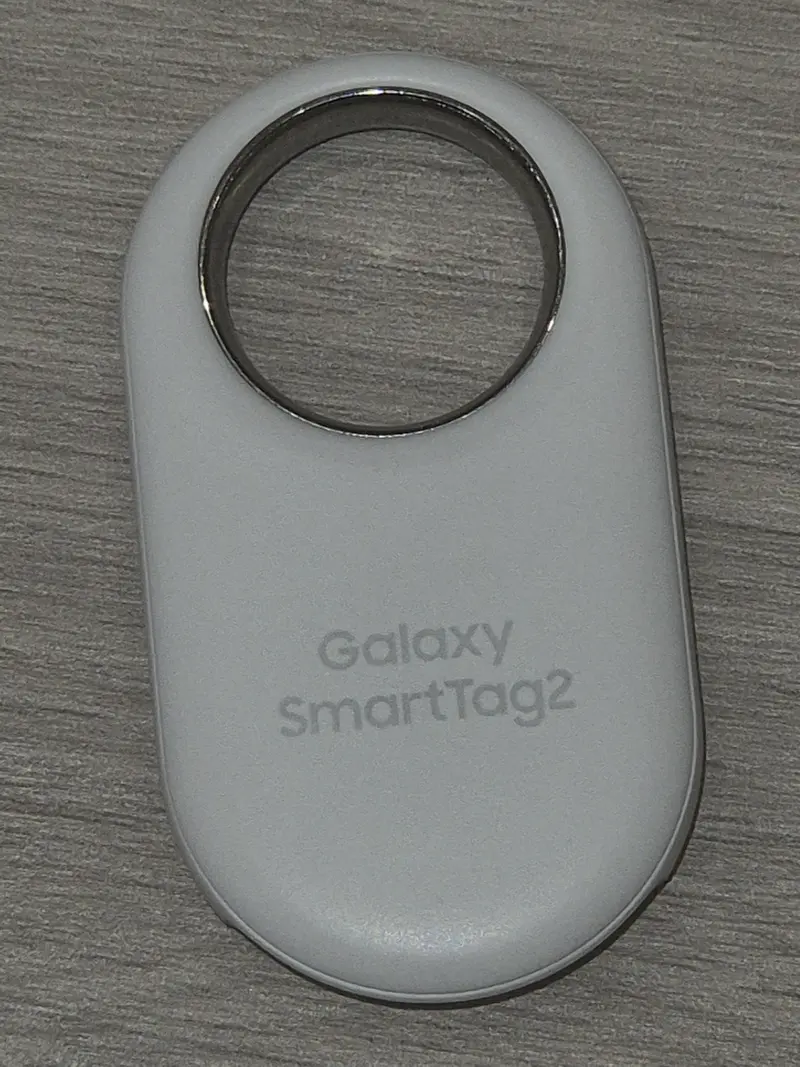
The short answer is that your phone decides for you. AirTag only works with an iPhone or iPad, Galaxy SmartTag2 only works with a Samsung Galaxy phone or tablet, and Tile works with both iPhone and Android. After that, the differences are about batteries, shape and how precisely you can home in on a lost item.
At a glance
| AirTag (2nd generation) | Galaxy SmartTag2 | Tile Pro / Tile / Slim / Sticker (2024) | |
|---|---|---|---|
| Works with | iPhone and iPad | Samsung Galaxy phones and tablets only | iPhone and Android |
| Network | Apple Find My | Samsung SmartThings Find | Tile / Life360 network |
| Close-range finding | Ultra Wideband Precision Finding | Ultra Wideband Compass View (supported Galaxy phones) | Ring it — no Ultra Wideband |
| Battery | CR2032, replaceable, more than a year | CR2032, replaceable, up to 500 days | Pro: CR2032, replaceable, up to 1 year. Others: sealed, up to 3 years |
| Water / dust | IP67 | IP67 | IP68 |
| Key-ring hole | No — needs a holder | Yes, built-in ring loop | Yes (Pro and Tile); Slim is a card; Sticker sticks on |
| Subscription | None mentioned by Apple | None mentioned by Samsung | Not needed to find it; optional Tile Premium extras |
Specs are as stated by each maker and checked on 3 October 2026. See the full pages for AirTag (2nd generation), Galaxy SmartTag2 and the Tile range, or compare them side by side.
If you have an iPhone
AirTag is built into the Find My app that is already on your iPhone, and it uses Apple’s Find My network — the iPhones, iPads and Macs around you that anonymously report where it is. The second-generation AirTag (January 2026) has Apple’s second-generation Ultra Wideband chip, which Apple says gives Precision Finding up to 50% more range, plus a louder speaker. The catch: it has no hole, so you need a key ring, loop or holder.
Other trackers that also use Apple Find My — such as Chipolo POP — work in the same Find My app and have a built-in key-ring hole, but most don’t have Ultra Wideband. See all Find My trackers.
If you have a Samsung Galaxy phone
Galaxy SmartTag2 uses Samsung’s SmartThings Find, and on Galaxy phones with Ultra Wideband its Compass View points you towards it. It has a sturdy built-in ring and Samsung rates its CR2032 battery at up to 500 days, or longer in Power Saving Mode. It won’t work with an iPhone or a non-Samsung Android phone, so it is a poor choice for a mixed household.
Galaxy phones are also Android phones, so trackers made for Google Find Hub — such as the moto tag — work with them too. Samsung announced a SmartTag3 in September 2026, but said it would reach Korea and the US first and other markets in 2027.
If you have another Android phone, or a mix of phones
Tile is the long-standing cross-platform choice: the Tile app runs on iPhone and Android, so a whole family can share trackers. Tile uses its own network of Tile and Life360 app users rather than Apple’s or Google’s, and none of the 2024 Tile models has Ultra Wideband — you find them nearby by making them ring (Tile Pro is rated at 110 dB+).
For Android-only homes, trackers on Google’s Find Hub network are the obvious alternative: Find Hub is available on Android 9 and later, and Android phones take part in its network by default. Some trackers — Chipolo’s POP, LOOP and CARD, Pebblebee’s Clip 5 and Card 5, eufy’s Card E40 and the Xiaomi Tag — can join either Apple Find My or Google Find Hub, one at a time, which helps if your household might switch phones later.
Batteries: replace, recharge or replace the whole thing?
- Replaceable coin cell (AirTag, SmartTag2, Tile Pro): a CR2032 costs little and takes a minute to fit. See how to change the battery.
- Sealed (Tile, Tile Slim, Tile Sticker): rated for up to three years, then you replace the tracker.
- Rechargeable (for example Chipolo LOOP and CARD): no batteries to buy, but you have to remember to charge it.
Which is safest?
All three include protections against misuse. iPhones and Android phones can warn you about an unknown AirTag moving with you; Galaxy phones warn about unknown SmartTags; and Tile’s app has a Scan and Secure feature that anyone can use to look for nearby Tiles. Read what to do if you get an alert.
Sources
- Apple UK — AirTag
- Apple Support — AirTag (2nd generation) technical specifications
- Samsung UK — Galaxy SmartTag2
- Samsung Global Newsroom — Galaxy SmartTag3 announcement
- Life360 Support — Tile models and specifications
- Life360 Support — Scan and Secure
- Chipolo — collection and comparison
- Android — Find Hub is available on Android 9 or higher
- Android Help — be ready to find a lost Android device
- Apple Support — alerts about AirTag and other items
This guide is general information, not legal or safety advice for your situation. If you are in danger, call 999.