Start with your phone — that decides the network (see which network works with your phone). Then choose the shape that suits what you carry.
For keys: a tag with a hole, or a holder
Many tags have a built-in hole or loop so they go straight onto a key ring — for example Galaxy SmartTag2 (metal ring loop), Tile Pro and Tile, Chipolo POP, eufy SmartTrack Link and Xiaomi Tag. Chipolo LOOP and Pebblebee Clip 5 have a loop or clip built in.
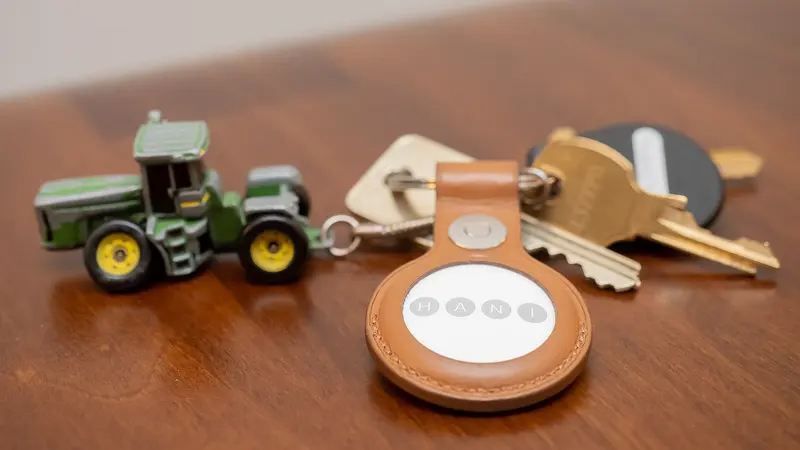
AirTag and moto tag are plain discs with no hole, so they need a key ring, loop or case. Apple says the second-generation AirTag is the same size and shape as the original and works with existing AirTag accessories. See accessories.
Things that matter on a key ring:
- Loudness. Keys often end up down the back of a sofa. Where makers give a figure it varies widely — 80 dB for UGREEN’s FineTrack, 110 dB+ for Tile Pro and about 125 dB for Chipolo LOOP — though they don’t all measure it the same way. Apple gives no figure but says the new AirTag is 50% louder than the original.
- Close-range finding. Trackers with Ultra Wideband (AirTag, SmartTag2, moto tag) can show an arrow and distance on a compatible phone. Filter for Ultra Wideband.
- A replaceable battery keeps running costs low — see changing tracker batteries.
For wallets: card trackers
A card tracker slips into a card slot. The thinnest in our list are around 1.7–2.6 mm — for example Pebblebee Card 5 (1.74 mm), eufy SmartTrack Card E40 (1.7 mm), Chipolo CARD and Tile Slim (both 2.5 mm). An AirTag is 8 mm thick, so in a wallet it needs a card-shaped holder and adds bulk.
The catch with cards is the battery. A card is too thin for a coin cell you can change, so it is either:
- Rechargeable — Chipolo CARD and Pebblebee Card 5 charge on a wireless charging pad, eufy’s Card E30 with a magnetic USB-C adapter. Makers quote anywhere from about five to 18 months per charge.
- Sealed — Tile Slim and eufy SmartTrack Card have batteries rated for up to three years, after which you replace the whole card.
Lost wallet or keys: what to do
- Open the app for your tracker’s network and check the last location on the map.
- If it is nearby, play a sound — or use Precision Finding/Compass View if your tracker and phone support it.
- If it is somewhere else, mark it as lost (Lost Mode on Apple Find My, and similar features on other networks) so anyone who finds it can see your contact details by tapping or scanning it, and you are told when it is next detected.
- If your wallet or bank cards may have been stolen, contact your bank straight away. A tracker can help you find an item, but don’t try to recover stolen property yourself — report it to the police.
Sources
This guide is general information, not legal or safety advice for your situation. If you are in danger, call 999.